Project Online Retirement: What It Means, and How We Can Help You Modernize
Power Framework
Share
Today, Microsoft officially announced the retirement of Project Online, effective September 30, 2026 (see here). For many organisations, this news will feel like the end of an era (certainly does for us at Power Framework!). Project Online has been a faithful companion in the world of project and portfolio management for over a decade, helping PMOs deliver control, governance, and visibility at scale.
If your organisation relies on Microsoft Project Online, you will have been aware that its days as a cutting-edge solution were numbered. As with all technology, change is inevitable. Microsoft is now placing its innovation energy into Planner, Copilot, and the broader Microsoft 365 platform. For some teams, this opens exciting new opportunities. For others — especially those who rely on the power of Microsoft Project Desktop for complex scheduling — the announcement will raise concerns.
Project Online has always been more than just a storage place for .mpp files. It provided:
Enterprise project registers
Governance workflows
Portfolio-level reporting
Resource management capabilities
A central repository for MS Project schedules
With retirement on the horizon, organizations must plan now to avoid disruption. The risk is real: losing centralized control, fragmenting data across SharePoint folders, and breaking the governance structures PMOs rely on.
The Good News: Power Framework PPM
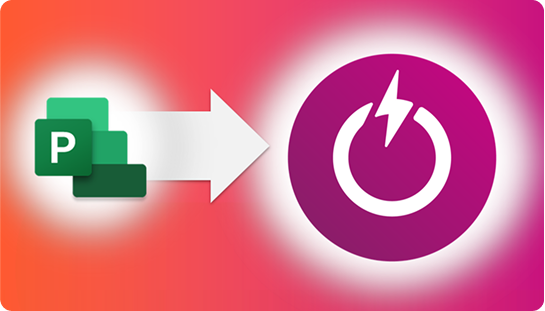
At Power Framework, we’ve anticipated this moment. Our Power Framework PPM solution has already helped organizations modernize beyond Project Online, migrating their registers, documents, workflows, and reporting into the Dataverse and Microsoft Power Platform.
Proven capability: Power Framework PPM is in production today with customers across industries.
Future-proof: Built entirely on Microsoft’s modern Power Platform, it aligns with Microsoft’s innovation roadmap.
Governed and connected: All project data is captured in one enterprise database for reporting, quality checks, and AI insights.
Power Framework PPM doesn’t just match Project Online’s capabilities; it significantly surpasses them. Here’s a glimpse of what moving to a modern solution like this offers:
True Program & Project Portfolio Management: Unlike Project Online, which categorises everything as a project, Power Framework PPM has distinct, fully-fledged capabilities for programs and portfolios, allowing for hierarchical budgeting, risk management, reporting, and more.
Flexible Work Management: Use the scheduling tools that best fit your teams—Planner Premium, Microsoft Project desktop, Jira, Azure DevOps, and more—integrated within the PPM framework.
Enhanced Strategic Alignment: Robust features for portfolio balancing, “what-if” scenario modelling, and ensuring projects align with strategic objectives.
Advanced Capabilities: Sophisticated modules for resource capacity planning, financial management (beyond what Project Online offered), and benefits realisation tracking.
Superior Flexibility and Integration: Built on Dataverse, it’s highly configurable and extensible. Seamless integration with Power BI, Power Automate, Teams, and Excel enables a unified, efficient experience.
Modern User Experience: Intuitive navigation, role-based security (down to field level), audit history, and configurable lifecycle stages improve adoption and data quality.
Future-Proofing with AI: Leverage Microsoft Copilot’s advanced AI—something not feasible within the aging Project Online architecture.
And What About MS Project Desktop?
Some organisations aren’t ready to give up MS Project Desktop—and they don’t have to. Power Framework PPM can be the integrator, securely storing .mpp files with full governance. Planning data is extracted into Dataverse tables for analytics and AI, performing the enterprise data aggregation function previously handled by Project Online.
In short: even after Project Online is gone, you can keep using MS Project in a connected, enterprise-ready way.
Let’s Talk Modernization Together
This transition doesn’t need to be daunting. In fact, it’s an opportunity to refresh and modernize your project management ecosystem.
To help you navigate this journey, we’ll be hosting a webinar:
Modernizing Microsoft Project Online with Power Framework PPM
We’ll share practical migration strategies, customer stories, and a closer look at how Power Framework PPM can carry you confidently into the future.
Don’t let legacy tools hold back your organisation’s potential. Take the next step towards a more efficient, integrated, and strategically aligned future for your Project Portfolio Management (PPM).
Or click this link now to Book a demo tailored to your organisation’s needs and see first hand how it surpasses Project Online.
Get advice and insights to power up you PMO direct to your inbox
Ready to unlock your technology’s full potential?
Power Framework harnesses the market-leading capabilities of the Microsoft cloud to fuel collaboration, automation, and business intelligence. Let’s get started.
To provide the best experiences, we use technologies like cookies to store and/or access device information. Consenting to these technologies will allow us to process data such as browsing behavior or unique IDs on this site. Not consenting or withdrawing consent, may adversely affect certain features and functions.
Functional
Always active
The technical storage or access is strictly necessary for the legitimate purpose of enabling the use of a specific service explicitly requested by the subscriber or user, or for the sole purpose of carrying out the transmission of a communication over an electronic communications network.
Preferences
The technical storage or access is necessary for the legitimate purpose of storing preferences that are not requested by the subscriber or user.
Statistics
The technical storage or access that is used exclusively for statistical purposes.The technical storage or access that is used exclusively for anonymous statistical purposes. Without a subpoena, voluntary compliance on the part of your Internet Service Provider, or additional records from a third party, information stored or retrieved for this purpose alone cannot usually be used to identify you.
Marketing
The technical storage or access is required to create user profiles to send advertising, or to track the user on a website or across several websites for similar marketing purposes.