Get on the Project Portfolio Management ladder
Are you starting your Project Portfolio Management (PPM) journey and would like an affordable option that delivers benefits in weeks, not months?
Meet Power Framework for Planner.
Meet brand new Power Framework for Planner. It is built around Microsoft’s new Planner scheduling and work management tool, extending it to consolidate all your projects in the Microsoft cloud. It comes with services and support to make sure your implementation will be a success.
Not heard of Microsoft Planner?
Out of the box features
Collect project requests, turn them into projects and monitor lifecycle stage gates
Manage risk, issues, benefits and all other important program and project information
Schedule and track work with Microsoft Planner, collaborate in Microsoft Teams
Manage resources, tracking work allocation against capacity, for roles and individuals.
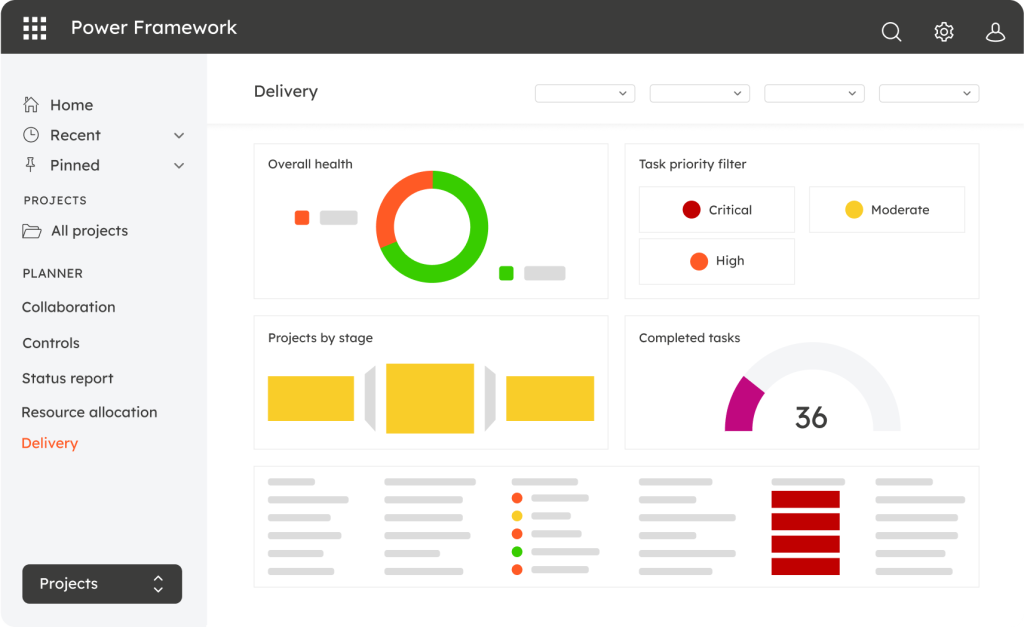
Rich out-of-the-box reporting with Power BI. Want to create your own reports? Single source of truth data model is included for use by your data analysts.
Get a complete package
Planner Foundation app
Your very own PPM App built around Microsoft Planner, with full functionality available on Day 1.
Stage gate governance, Risk and Issues, status updates, rich reporting – these are just some of the features.
Complete Implementation and Onboarding
Get familiar with Planner quickly, understand technical background and licencing, and deploy rich out-of-the-box capability in just two weeks.
You’ll be guided by an experienced solution consultant, helping you to avoid the pitfalls of PPM tool implementation.
Full Team Training
You can only get the most out of your project and work management tools when users are using them with confidence.
Get comprehensive training for different user groups, administrators, and report authors, as well as your own internal trainers.
All-year support
- Assistance with issues detected within the standard software
- Support for queries relating to Microsoft PPM configuration or administration
- Assistance with issue escalation to Microsoft
- Process and functional queries
- Assistance with infrastructure related issues
- Early warning of critical updates being released by Microsoft
Exclusive User Community
Join the Power Framework user group for Planner. Get together with fellow users and Power Framework experts to hear insider updates, share implementation case studies and best practices, and get answers to your questions.
Exec Discovery Briefing (optional)
Bring on board executives and technology strategists in your organisation, who wish to understand the key aspects of this technology.
Where next?
Once you’ve laid your PPM foundation with Power Framework for Planner, you may want to build on it.
Add-on: Enhance and Extend
There are many ways to take your PPM further. From custom reporting solutions to integration with other systems, automation of processes or custom app development – just choose from the menu of capabilities.
Add-on: Change Management
Taking your enterprise PMO to the next level?
Once you’ve covered your basics with Power Framework for Planner, you may want to progress to a more mature PPM solution.
Step up to Power Framework PPM and enjoy these and many other advanced features:
Strategic Portfolio Management
With prioritisation against strategic drivers, scenario modelling, portfolio roadmaps and cross-project dependencies.
Full Investment Control
Enhanced Resource Management
Super-charged Governance
Integration With Multiple Planning Tools